Short answer: A free Gmail account (@gmail.com) can send email to at most 500 recipients in a 24-hour period. Paid Google Workspace accounts can send 2,000 messages per day. The limit does not reset at midnight; it is counted over the last 24 hours.
Gmail Sending Limits at a Glance
| Limit | Free Gmail | Google Workspace |
|---|---|---|
| Daily sending | 500 recipients | 2,000 messages |
| Total recipients per day | 500 | 10,000 |
| External recipients per day | — | 3,000 |
| Recipients per message (web) | 500 | 2,000 (500 external) |
| Recipients per message (SMTP, POP/IMAP) | 100 | 100 |
Workspace trial accounts are limited to 500 messages per day. These are the figures Google publishes in its help pages. Google can change them, so check "Gmail sending limits in Google Workspace" in Google's help center for the current values.
How the Limit Is Counted
- Recipients, not emails: one email sent to 50 people counts as 50 recipients. Everyone in To, Cc and Bcc is included.
- Rolling 24 hours: if you sent 300 emails at 3 pm yesterday, you only have 200 left until 3 pm today.
- Per account: each Gmail account has its own limit.
What Happens When You Reach the Limit?
Gmail shows an error such as "You have reached a limit for sending mail" and suspends sending for that account for between 1 and 24 hours. You can still sign in and receive email during that time. Hitting the limit again and again can get the account reviewed.
Limits You May Hit Before the Number
- Bounces: many invalid addresses in your list.
- Spam complaints: recipients marking your email as spam.
- Sudden volume: an account that normally sends 10 emails a day suddenly sending 500.
- Account age: new accounts are treated more cautiously.
How to Stay Under the Limit When Sending in Bulk
- Clean the list. Remove invalid and duplicate addresses first.
- Spread it over several days. A list of 1,500 people takes three days with one free account.
- Leave some headroom. Send around 400 rather than the full 500 so your normal email still goes out.
- Add a delay between messages. Hundreds of emails within seconds look unusual.
- Increase gradually. Start small with a new account.
- Only email people who opted in. It is the only lasting way to keep complaints low.
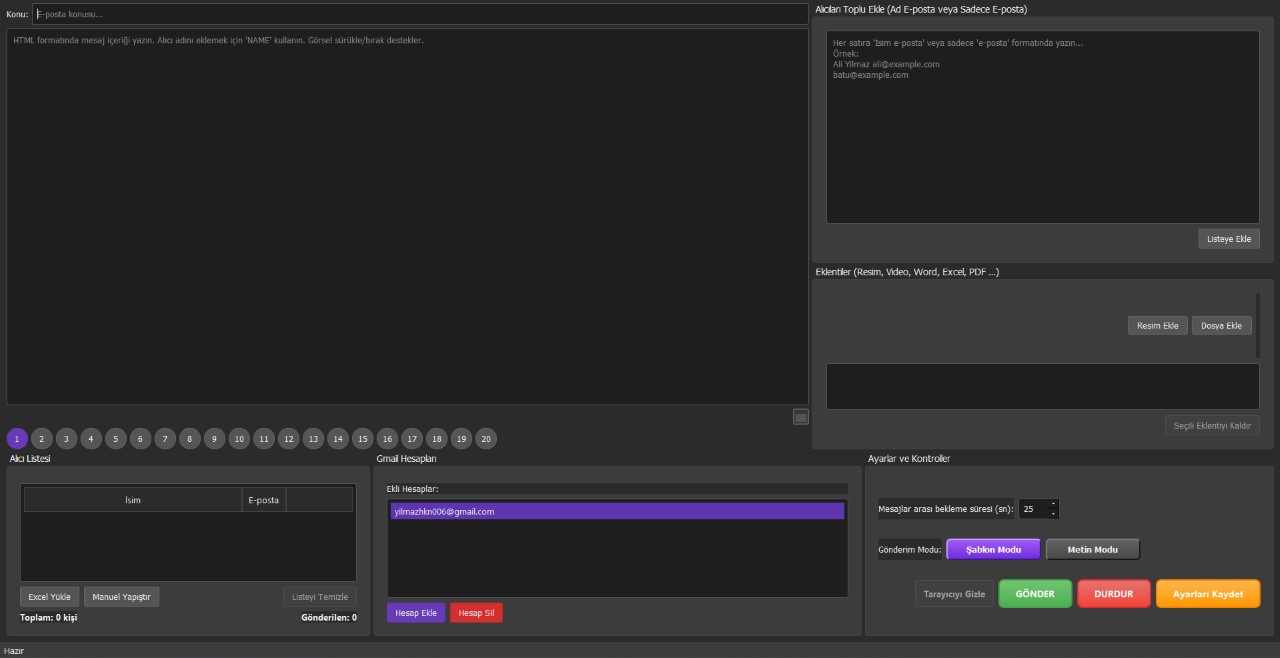
Mail Express makes these steps easier: it imports recipients from Excel, lets you set the delay between messages, supports several Gmail accounts and reports which emails were sent. Each account still has to stay within its own daily limit.
Rules for Senders of 5,000+ Emails a Day
Google treats anyone who sends 5,000 or more messages a day to Gmail addresses as a bulk sender. Since February 2024 such senders need SPF, DKIM and DMARC records on their domain, one-click unsubscribe in marketing email and a spam complaint rate below 0.3%. This concerns high-volume senders using their own domain; a business emailing a few hundred customers from its Gmail account is not in scope, but the principle of keeping complaints low applies to everyone.
Frequently asked questions
How many emails can I send per day with Gmail?
A free Gmail account can send to at most 500 recipients in 24 hours. A Google Workspace account can send 2,000 messages per day.
When does the Gmail sending limit reset?
There is no fixed reset time. The limit is counted over the last 24 hours, so each email stops counting 24 hours after it was sent.
Can I increase my Gmail sending limit?
Not on a free account. For a higher limit you can move to Google Workspace, or spread your sending over more days and accounts.
Does Bcc avoid the limit?
No. Every address in Bcc counts as one recipient.
Will my account be closed if I exceed the limit?
A single overrun only pauses sending for 1 to 24 hours. Repeatedly forcing the limit or collecting spam complaints can lead to suspension.
Controlled Bulk Email from Your Own Gmail
Try Mail Express free for 24 hours: Excel import, personalized greetings and delivery reports.
Download free trial Bulk email sender